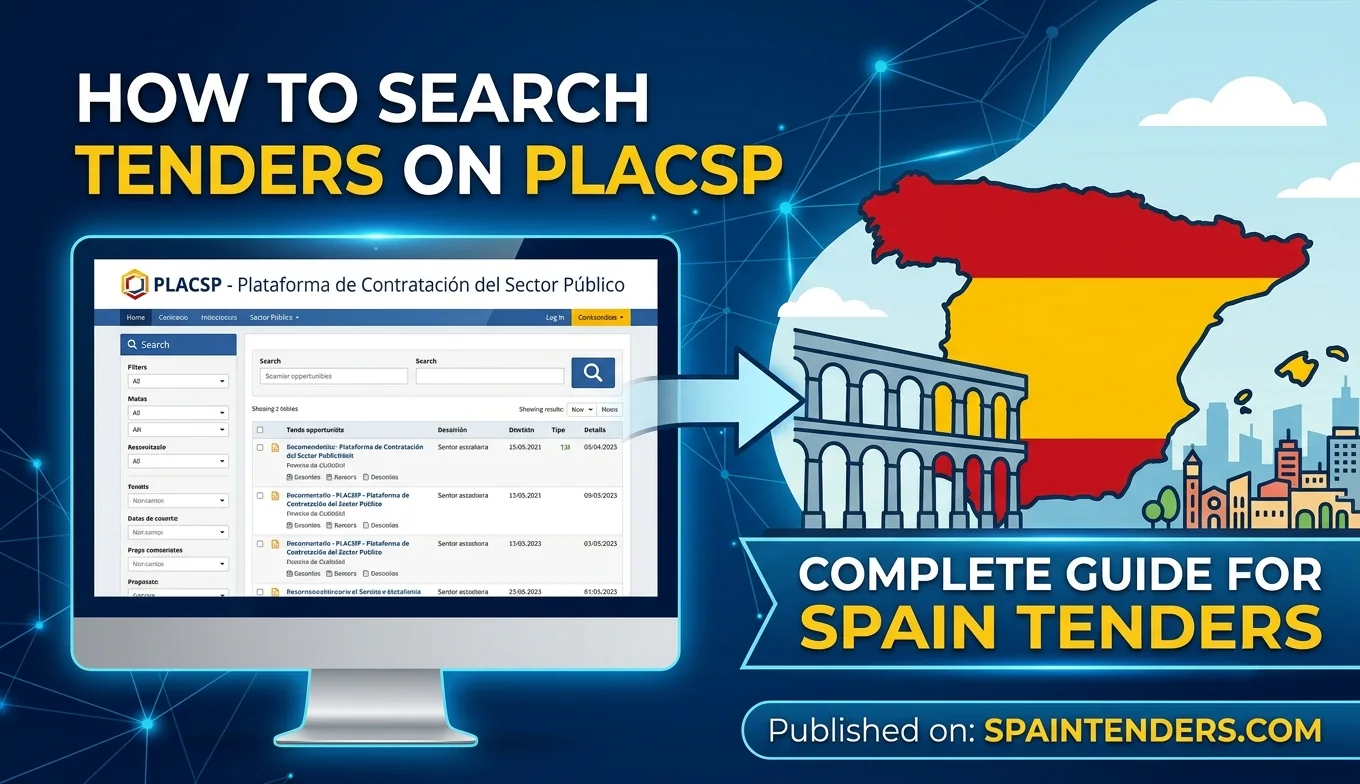
How to Search Tenders on PLACSP: Complete Guide for Spain Tenders
Learn How to Find, Filter, Review and Monitor Spanish Public Tenders on PLACSP
Introduction
Finding the right public procurement opportunity is one of the most important steps for any company entering the Spanish government contracting market. Spain publishes a large number of procurement opportunities across central government, Autonomous Communities, municipalities, public institutions and other contracting authorities. For suppliers, the challenge is not simply finding tenders but identifying the opportunities that match their products, services, technical capabilities, location and eligibility.
The Plataforma de Contratación del Sector Público, commonly known as PLACSP, provides an important search environment for Spanish public procurement. Suppliers can use the platform to search for published tenders, examine contracting profiles, review procurement information and access documents associated with individual opportunities.
For companies searching for licitaciones España, licitaciones públicas España, contratación pública España and Spain government tenders, understanding how to use PLACSP search functions can make tender discovery more structured and efficient.
This guide explains how to search tenders on PLACSP, how to use basic and advanced search filters, how to search by CPV, contracting authority and location, how to review tender results, how to identify electronic procedures and how suppliers can save and monitor opportunities that match their business.
Table of Contents
- What Is the PLACSP Tender Search?
- Why Should Suppliers Search Tenders on PLACSP?
- How to Access the PLACSP Tender Search
- How to Perform a Basic Tender Search
- How to Search Spanish Tenders by Keyword
- How to Search Spain Tenders by CPV Code
- How to Search by Contracting Authority
- How to Search Tenders by Location
- How to Search by Procurement Procedure
- How to Search by Contract Type
- How to Search by Tender Deadline
- How to Use Advanced Search on PLACSP
- How to Find Electronic Tender Procedures
- How to Read PLACSP Search Results
- How to Open and Review Tender Details
- How to Find Tender Documents on PLACSP
- How to Use My Tenders on PLACSP
- How to Monitor Tender Updates and Alerts
- Common PLACSP Tender Search Mistakes
- How to Build a Better PLACSP Search Strategy
- Find Spain Tenders Beyond PLACSP
- PLACSP Tender Search Checklist
- Conclusion
What Is the PLACSP Tender Search?
The PLACSP tender search is the search environment provided through the Plataforma de Contratación del Sector Público for locating procurement opportunities and related procurement information. It allows users to search published procurement records and access information associated with contracting authorities and individual procurement procedures.
The platform provides a general search form as well as more detailed search functionality. The available search environment can include fields relating to the tender, contracting authority, procurement category, location, procedure and other characteristics of the procurement.
For suppliers, the search function provides a starting point for identifying Spanish public tenders before examining the complete procurement documentation.
Why Should Suppliers Search Tenders on PLACSP?
PLACSP is an important source for companies looking for public procurement opportunities in Spain because it brings together procurement information associated with a large number of public-sector contracting authorities and contracting profiles.
The Ministry of Finance also provides open procurement datasets containing information from PLACSP. These datasets cover tenders published by contracting authorities whose profiles are hosted on the platform as well as information aggregated through other mechanisms. This demonstrates the breadth of procurement information associated with the platform.
However, suppliers should remember that the official tender notice and procurement documents remain the authoritative sources for the actual requirements, deadlines and submission instructions.
How to Access the PLACSP Tender Search
Suppliers can access the public search functions of PLACSP without treating tender discovery as a separate commercial database. The platform provides search functionality for published procurement opportunities and related procurement information.
The search environment includes options for locating licitaciones, contratos menores, encargos a medios propios and consultas preliminares del mercado, depending on the search area being used.
A company does not need to search randomly through hundreds of procurement notices. The objective should be to use structured filters and business-specific search terms to narrow the results to relevant opportunities.
How to Perform a Basic Tender Search
A basic PLACSP tender search begins by identifying the information that best describes the procurement opportunity a company wants to find.
For example, a technology company may begin with terms such as software, cybersecurity, cloud services or information systems. A construction company may search for works, infrastructure, building renovation or engineering-related terms.
After entering a relevant search term, the supplier can review the resulting opportunities and narrow the search using additional fields where available.
The most useful approach is usually to combine several search dimensions instead of relying on a single keyword.
How to Search Spanish Tenders by Keyword
Keyword searching is useful when a company knows the product, service or project type it wants to supply. However, Spanish procurement notices may use terminology that differs from the terminology used internally by a supplier.
For this reason, companies should develop several keyword variations. An international supplier searching for IT opportunities, for example, may consider English and Spanish terminology relating to software, information technology, digital services, cybersecurity, cloud computing and systems integration.
Spanish search terms such as licitación, contratación, suministro, servicios, obras and concurso can also be combined with the actual product or service description.
Suppliers should avoid relying on only one exact phrase because contracting authorities may describe similar requirements using different terminology.
How to Search Spain Tenders by CPV Code
CPV codes provide a structured way to classify public procurement according to the subject matter of the contract. Searching by CPV can therefore be useful when keyword searches produce either too many unrelated results or fail to identify tenders using different wording.
A supplier should identify the CPV codes that correspond with its main products and services and use them as part of its tender discovery strategy.
CPV searching is especially useful for international businesses because procurement terminology can vary between languages while the CPV classification provides a common procurement classification system.
Businesses should nevertheless review the actual tender description because a CPV code alone does not establish the complete scope or eligibility requirements of a procurement.
How to Search by Contracting Authority
Searching by contracting authority can be particularly useful when a company already understands its target buyers. A supplier may have identified ministries, municipalities, public hospitals, universities, transport authorities or other public organisations that regularly purchase its products or services.
Searching by authority can help a supplier identify current and related procurement activity from a particular buyer.
Companies should also examine the contracting profile because it can provide additional information about procurement activity and published documents associated with the authority.
How to Search Tenders by Location
Location can be an important search dimension for companies whose services require physical presence, local delivery, installation, maintenance or regional operations.
Depending on the available search fields, suppliers can narrow opportunities using Autonomous Community, province, municipality or other geographic information.
For example, a supplier may separately research opportunities in Madrid, Andalucía, Cataluña, Galicia, País Vasco, Valencia or other Spanish regions rather than treating the entire Spanish procurement market as one undifferentiated search.
Location should not be used as the only qualification factor. Some contracts can be performed nationally or internationally even when the contracting authority is located in a particular region.
How to Search by Procurement Procedure
Procedure can help suppliers understand the procurement environment associated with an opportunity. Search information may distinguish between procedures such as open, restricted, negotiated and other procurement methods.
For suppliers, procedure filtering can be useful when their internal bid process is designed around specific types of opportunities. It can also help identify whether a tender requires a prior participation stage or whether companies can submit offers directly.
However, the procedure field should be treated as a discovery filter. The complete procurement documents should always be reviewed before a company decides whether and how to bid.
How to Search by Contract Type
Spanish public procurement can involve works, supplies and services as well as other procurement categories and arrangements. Contract type can therefore be an important filter for companies that specialise in a particular area.
A construction company may focus on works contracts, while a manufacturer may primarily target supplies and a consulting business may focus on services.
Combining contract type with CPV, location and keywords can substantially improve the relevance of a tender search.
How to Search by Tender Deadline
The submission deadline is one of the most important pieces of information for a bidder. A tender that matches a company's capabilities may have little practical value if insufficient time remains to prepare a compliant offer.
Suppliers should therefore use available date-related search filters and then verify the final deadline in the official tender documentation.
Deadlines can also change after publication. Corrigenda, amendments or other procurement updates can modify dates and other conditions, so companies should monitor relevant opportunities after the initial discovery.
How to Use Advanced Search on PLACSP
Advanced search is useful when a supplier wants to move beyond simple keyword discovery and analyse procurement opportunities according to more specific characteristics.
Official Spanish procurement supervision information identifies advanced PLACSP search capabilities for fields including emergency procurement, contract modifications, estimated value, electronic processing, number of bidders, SME participation, bidders from the European Union or third countries, design contests, innovation partnerships and procurement based on dynamic purchasing systems.
These filters can be valuable for suppliers conducting more specialised market research. They can also help businesses investigate patterns in public procurement rather than simply searching for currently open tenders.
Advanced search should therefore be used not only for daily tender discovery but also for procurement intelligence and market analysis.
How to Find Electronic Tender Procedures
Electronic submission is an important part of modern Spanish public procurement. PLACSP provides information that can help suppliers identify procurement procedures associated with electronic tendering.
The electronic tendering guide explains that for procedures without invitation, such as open, restricted and certain negotiated procedures and competitive dialogues, the tenderer searches for the published procedure on the platform and then selects the relevant procurement from the search results.
Procedures identified with the relevant electronic indicator can then provide access to the tender preparation and submission process where applicable.
Businesses should review Article 8 of this Spain procurement guide for information about digital certificates, electronic signatures and AutoFirma before attempting an electronic submission.
How to Read PLACSP Search Results
Finding a tender is only the beginning. Suppliers need to interpret the search results carefully before deciding whether an opportunity deserves further investigation.
Important information can include the tender title, contracting authority, location, procurement type, estimated value, publication information, deadline, procedure and tender reference.
Suppliers should also identify whether the tender is still open, whether amendments have been published and whether electronic submission is available.
The search-result summary should never replace reading the full procurement documentation.
How to Open and Review Tender Details
Once a relevant opportunity is identified, the supplier should open the detailed procurement record. This is where the company can examine information that is not necessarily visible in the initial search results.
Companies should review the contracting authority, contract subject, procurement procedure, CPV information, contract value, duration, location, eligibility conditions, submission deadline and electronic submission requirements.
The supplier should then access the complete procurement documents before making a bid or no-bid decision.
How to Find Tender Documents on PLACSP
Tender documents are essential because the summary record may not contain all the technical and commercial information required to prepare an offer.
Depending on the procurement, suppliers may need to review the PCAP, PPT, DEUC, technical specifications, pricing documents, declarations, contract conditions, annexes, drawings and other files.
A supplier should check whether documents have been amended or supplemented after the original publication. The latest official version should be used when preparing the bid.
Businesses should also verify whether any documents need to be signed electronically and whether particular files must be submitted in designated electronic sections.
How to Use My Tenders on PLACSP
For businesses that regularly search procurement opportunities, saving relevant tenders can make monitoring more manageable. PLACSP's electronic tendering guidance describes “My Tenders” as the collection of procurement procedures that are of interest to a tenderer.
Once a tender has been added to My Tenders, the business user can receive email alerts when an update occurs, according to the platform's functionality.
This is particularly useful for opportunities where the supplier expects amendments, clarifications or other changes before the submission deadline.
How to Monitor Tender Updates and Alerts
Tender monitoring is important because procurement information can change after the initial notice. Contracting authorities can publish amendments, clarifications, revised documents or other updates.
A supplier that discovers a tender on the first day and never checks it again could potentially work with outdated information.
Businesses should therefore establish a monitoring routine for important opportunities. Saved tender functionality and email notifications can help, but suppliers should also verify the current information in the official procurement record.
Common PLACSP Tender Search Mistakes
One common mistake is searching with only one keyword. Spanish public procurement notices can use different terminology for similar goods and services, so a single phrase may miss relevant opportunities.
Another mistake is ignoring CPV codes. Classification-based searching can identify opportunities where the tender title uses unfamiliar terminology.
Suppliers can also make the mistake of filtering too aggressively. Excessive restrictions on location, procedure, contract type or keywords may eliminate potentially relevant opportunities.
Another important mistake is treating the initial search result as sufficient. The tender documents should always be reviewed before making a bid decision.
How to Build a Better PLACSP Search Strategy
A structured search strategy can combine multiple discovery methods.
- Start with the company's core products and services.
- Create Spanish and English keyword variations.
- Identify relevant CPV codes.
- Identify target contracting authorities.
- Identify important Spanish regions and locations.
- Filter by contract type where appropriate.
- Review procurement procedures relevant to the business.
- Use date filters to focus on current opportunities.
- Use advanced search for specialised procurement research.
- Review tender documents before qualifying the opportunity.
- Save important tenders for monitoring.
- Track amendments and deadline changes.
This approach turns PLACSP from a simple search page into a repeatable procurement research workflow.
Find Spain Tenders Beyond PLACSP
PLACSP is an important official procurement source, but suppliers may also benefit from a broader tender-discovery approach. Companies operating in Spain can research procurement opportunities across sectors, authorities and geographic markets while using the official procurement documents for final verification.
SpainTenders.com tenders can help businesses discover Spain tender opportunities and organise their initial procurement research before reviewing the official tender record.
Businesses can also explore Spain procurement sectors to identify opportunities by industry and use contracting authority information to research public buyers.
For companies that want to review procurement outcomes as part of their market research, Spain contract awards can provide another useful research area.
Existing users can access their account through the SpainTenders.com login page, while companies that want to create an account can use the SpainTenders.com registration page.
PLACSP Tender Search Checklist
- Define the products or services you want to supply.
- Prepare Spanish and English keyword variations.
- Identify relevant CPV codes.
- Identify target contracting authorities.
- Identify relevant regions and locations.
- Select suitable contract types.
- Use appropriate procurement procedure filters.
- Check publication and submission dates.
- Review current tender status.
- Open the complete tender record.
- Download and review all relevant procurement documents.
- Check amendments and corrigenda.
- Confirm the final submission deadline.
- Check whether electronic submission is required.
- Save important opportunities for monitoring.
- Verify final requirements against the official procurement documents.
Conclusion
Learning how to search tenders on PLACSP can significantly improve the way businesses approach the Spanish public procurement market. Instead of relying on a single keyword or manually reviewing unrelated opportunities, suppliers can combine keywords, CPV codes, contracting authorities, locations, contract types, procedures and date filters.
The platform also provides advanced search capabilities and tools for monitoring procurement opportunities. For companies that regularly participate in licitaciones España, using saved tenders and available alerts can help maintain awareness of changes to relevant opportunities.
Most importantly, tender discovery should always be followed by detailed document review. Search results provide a starting point, while the official procurement notice and tender documents contain the information suppliers need to determine eligibility, prepare their bid and meet the submission requirements.
By combining structured PLACSP searches with broader tender discovery, CPV-based research, authority research and continuous monitoring, companies can build a more systematic approach to finding Spanish public tenders and identifying opportunities that match their capabilities.
Frequently Asked Questions (FAQs)

Fresh and verified Tenders from Spain. Find, search and filter Tenders/Call for bids/RFIs/RFPs/RFQs/Auctions published by the government, public sector undertakings (PSUs) and private entities.
- 1,000+ Tenders
- Verified Tenders Only
- New Tenders Every Day
- Tenders Result Data
- Archive & Historical Tenders Access
- Consultants for RFI/RFP/RFQ
- Tender Notifications & Alerts
- Search, Sort, and Filter Tenders
- Bidding Assistance & Consulting
- Customer Support
- Publish your Tenders
- Export data to Excel
- API for Tender Data
- Tender Documents

Fill out the form below and you will receive a call from us within 24 hours.
Get FREE SAMPLE TENDERS from Spain in your email inbox.
Copyright © 2014-2026 SpainTenders.com. All Rights Reserved.